
Virtual staging AI
Virtual staging AI: furnish empty rooms in your listing photos
Drop a room photo, pick the room and a style, and the studio furnishes it. Walls, windows and floor stay as photographed, and the download carries a “Virtually staged” label.
Mode
Quick try 20 credits · listing size 30 credits
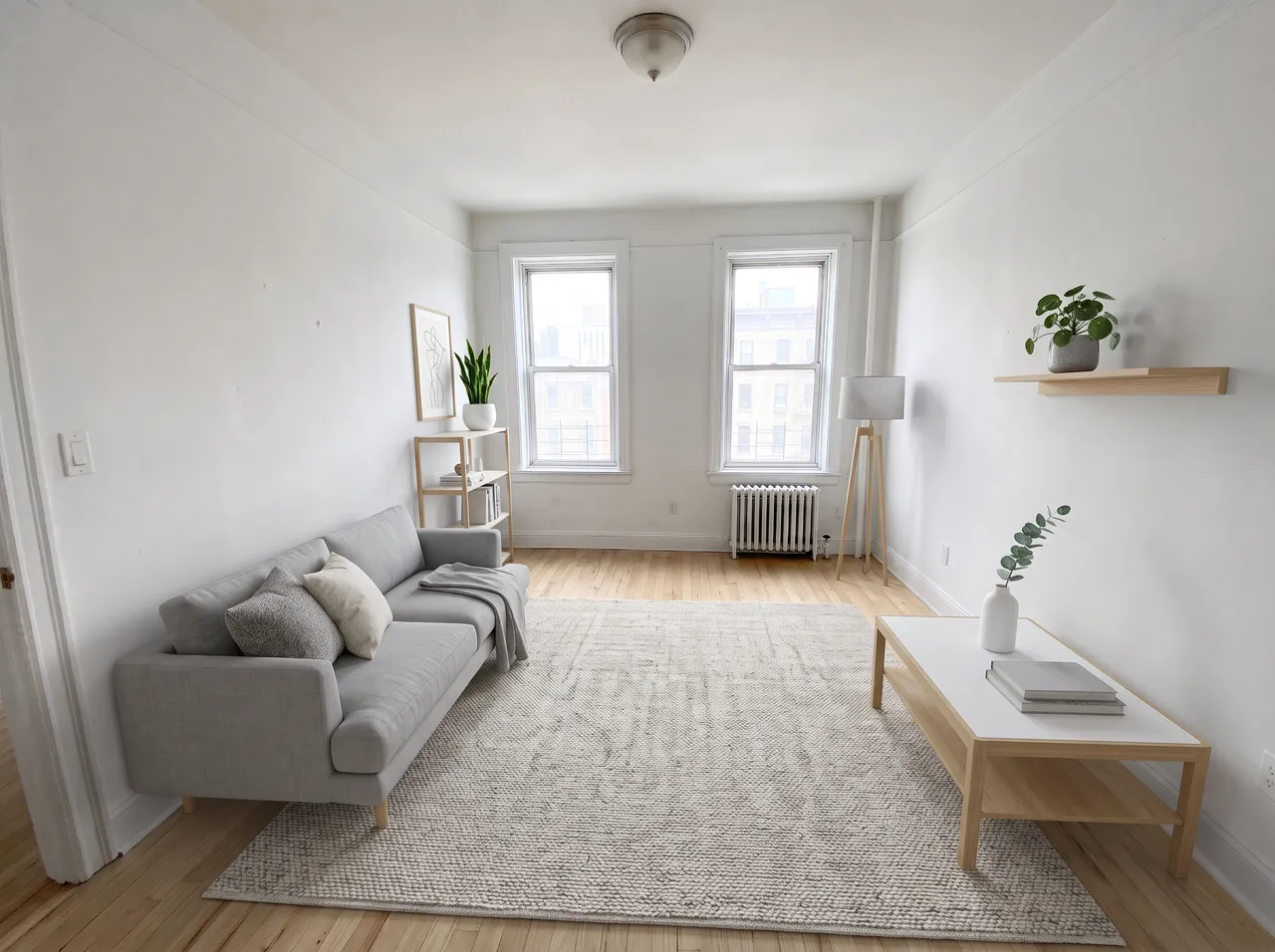
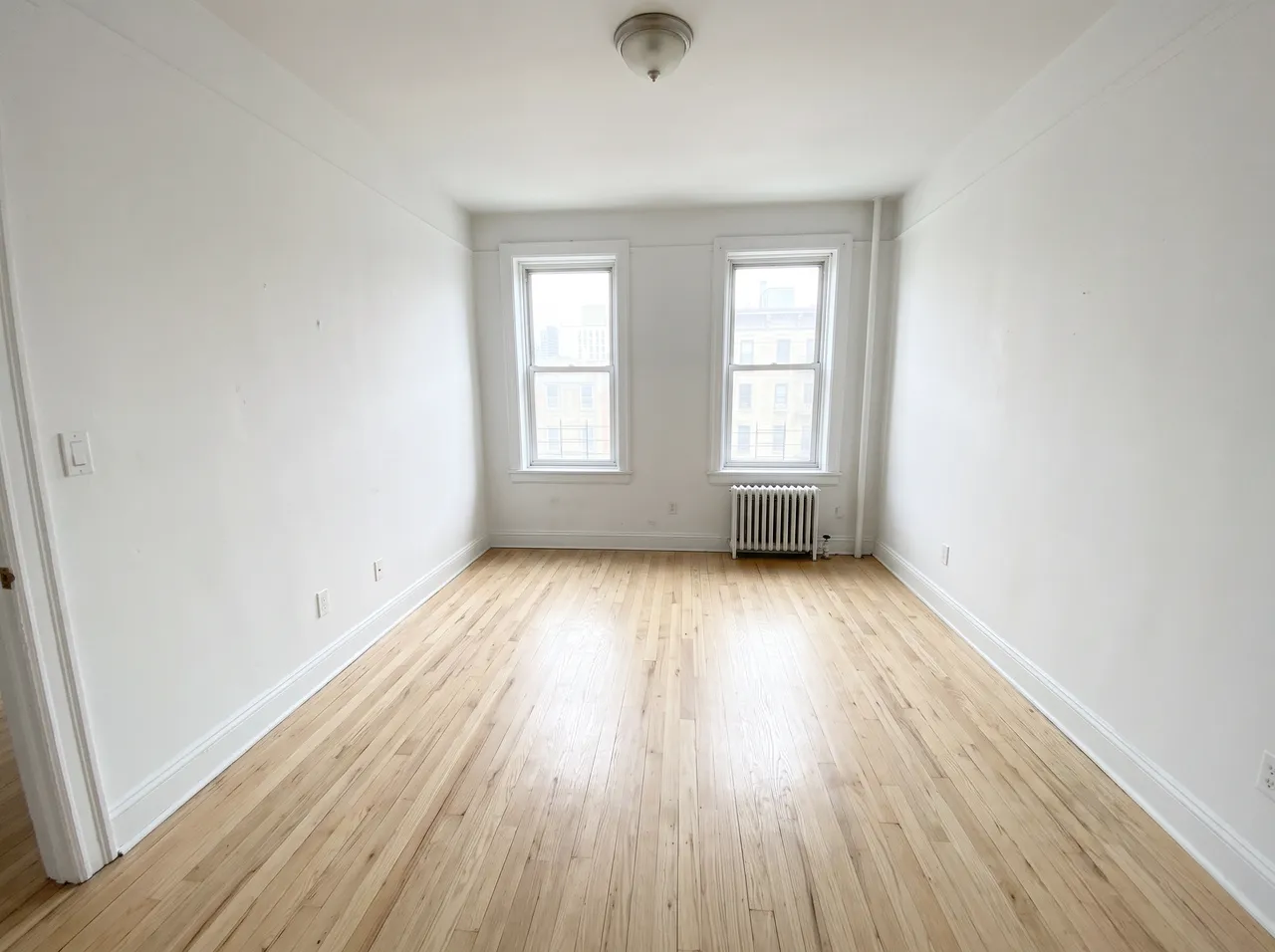 BeforeAfterVirtually staged
Examples are real runs on AI-generated rooms. Independent staging tool, not affiliated with Google. Nano Banana is a trademark of its owner.
Before and after
Rooms staged with this studio
Each pair is an AI-generated sample room, run once with the mode and style shown under it, and left as it came out.
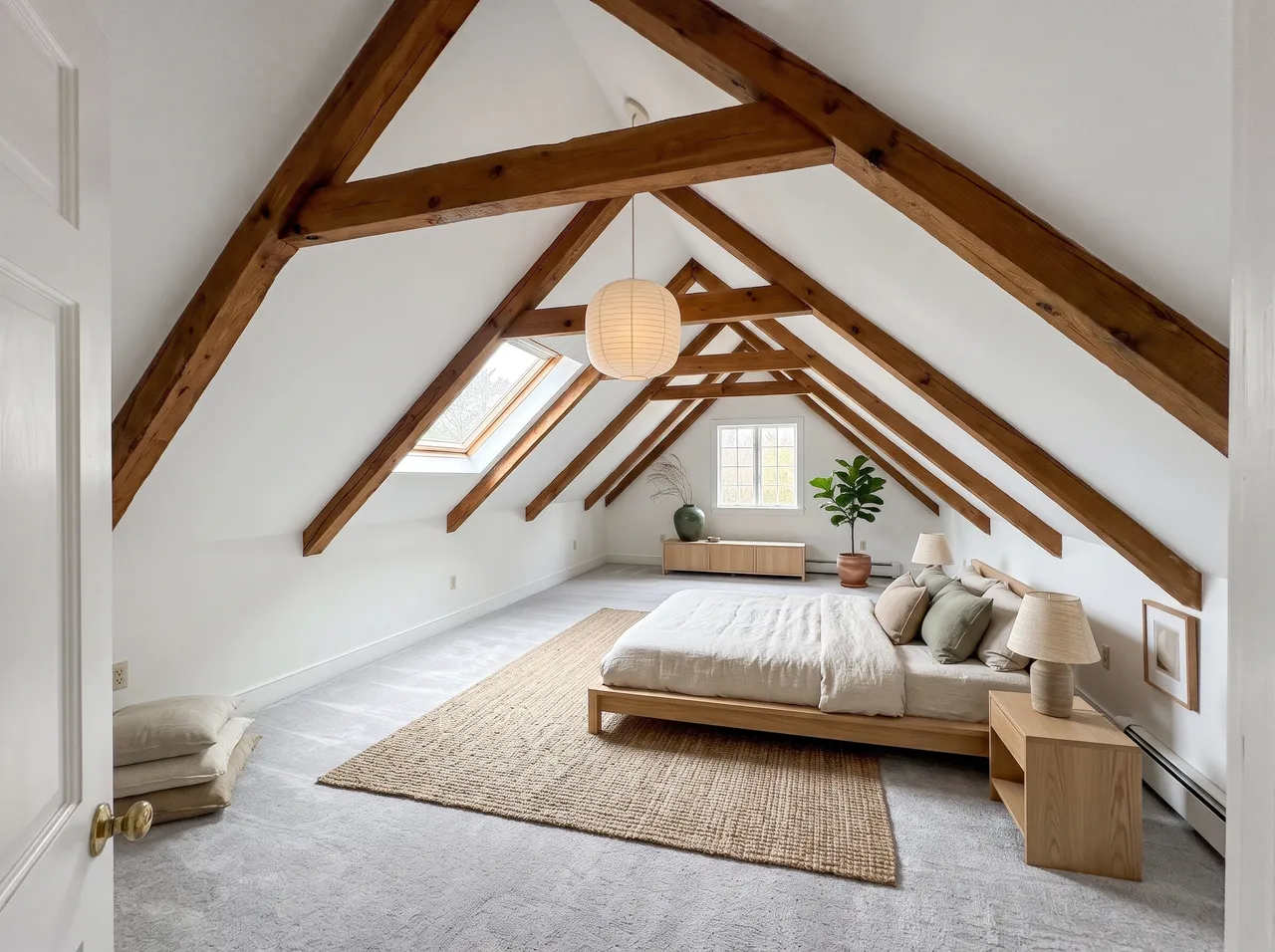
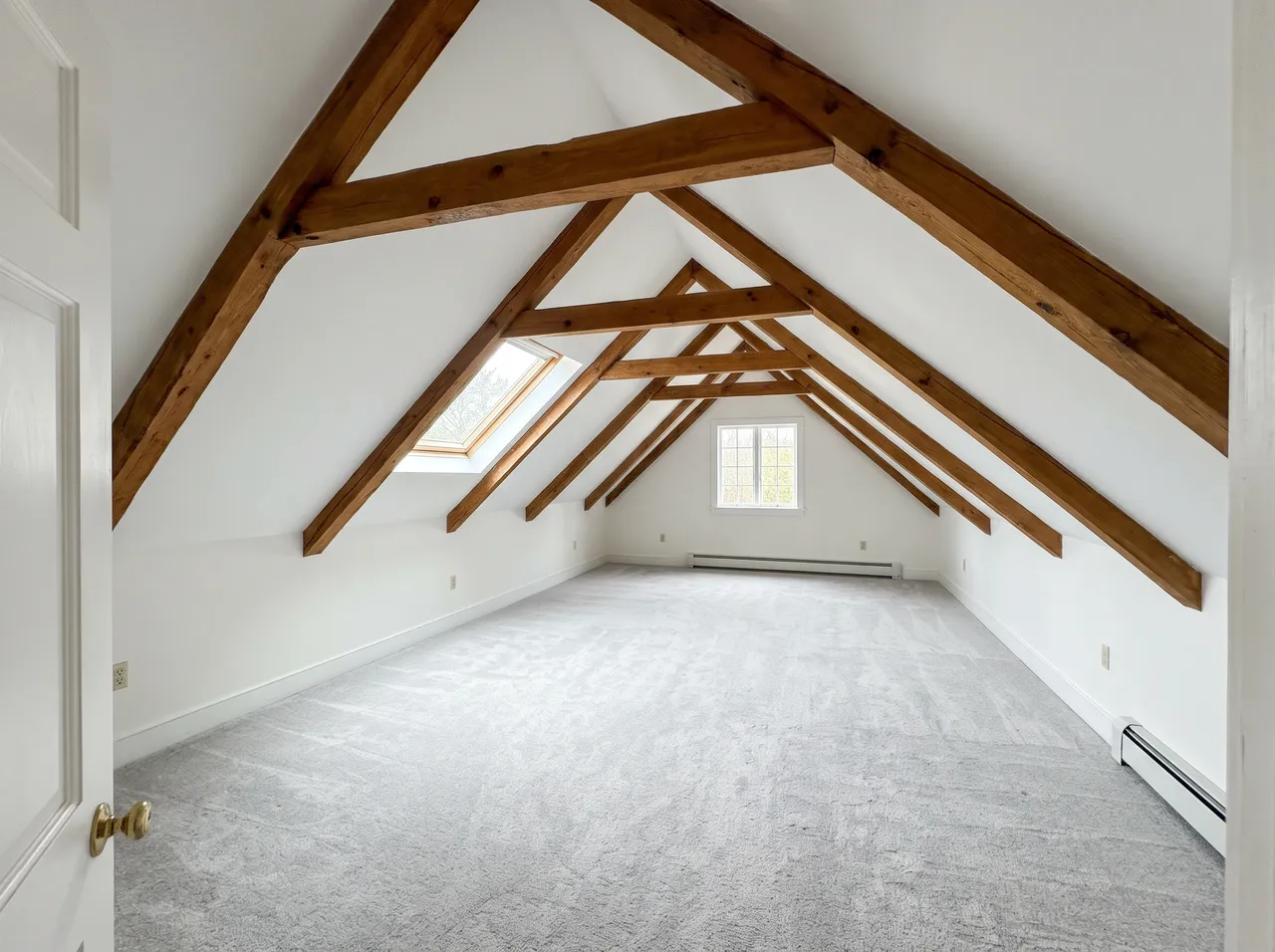 BeforeAfter
Stage · Bedroom · Japandi
Show the exact instruction
Virtually stage this empty bedroom in a Japandi: low natural-wood furniture, muted earth tones, paper and linen, very little decor interior style. Add furniture, rugs, lighting fixtures, plants and decor sized to fit the room, arranged the way a professional home stager would. Keep the architecture exactly as photographed: walls, windows, doors, floor, ceiling, stairs, built-in fixtures, the view through the windows, the camera angle and the framing must not change. Do not add or remove windows, doors or rooms, do not change the floor area, and do not hide any damage. Add no people, pets, text, logos or watermarks. Keep the photo realistic, with natural light that matches the windows.
 BeforeAfter
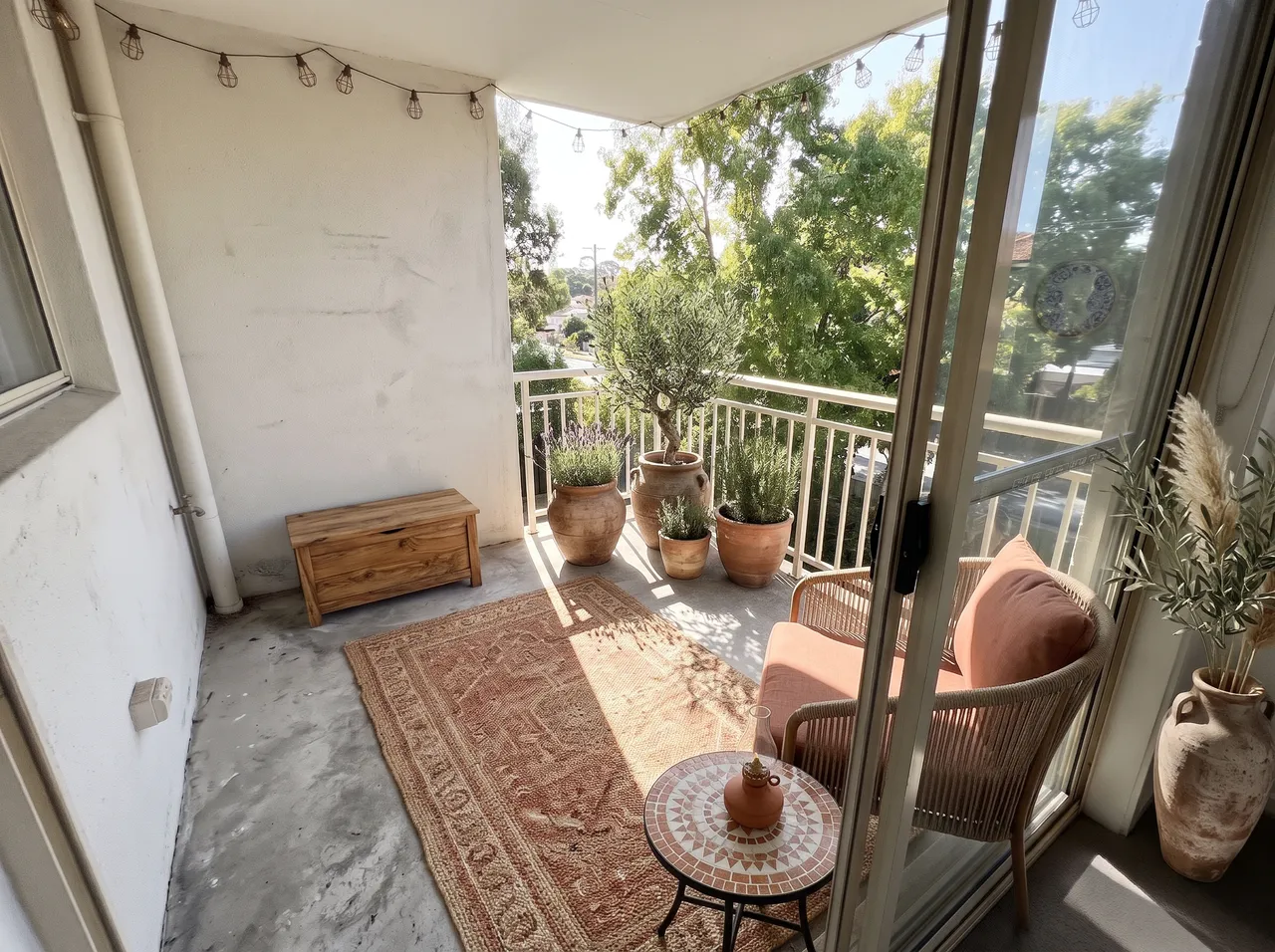
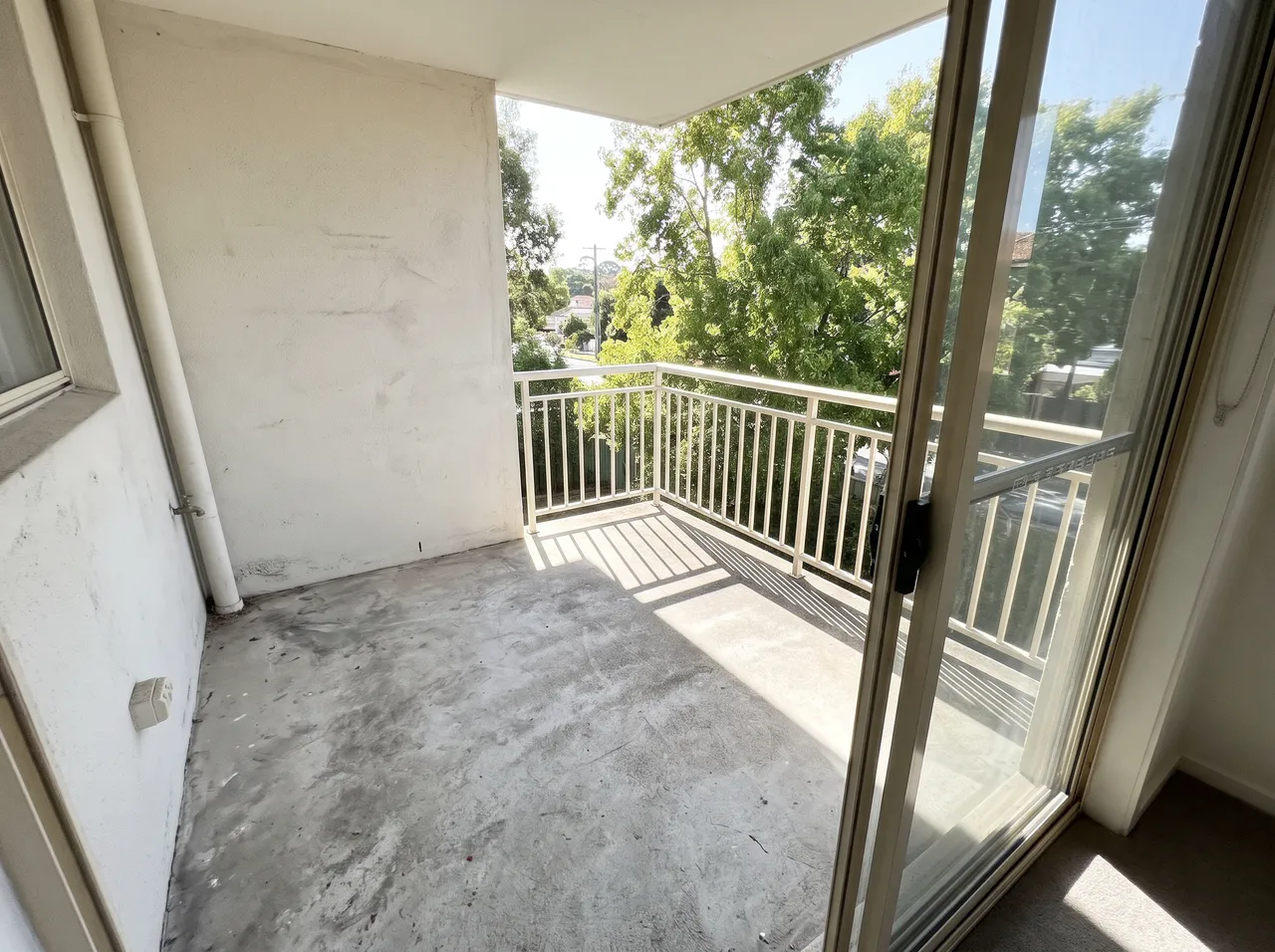
Stage · Patio or balcony · Mediterranean
Show the exact instruction
Virtually stage this empty patio, balcony or terrace in a Mediterranean: whitewashed tones, terracotta, olive wood and ceramic accents interior style. Add furniture, rugs, lighting fixtures, plants and decor sized to fit the room, arranged the way a professional home stager would. Keep the architecture exactly as photographed: walls, windows, doors, floor, ceiling, stairs, built-in fixtures, the view through the windows, the camera angle and the framing must not change. Do not add or remove windows, doors or rooms, do not change the floor area, and do not hide any damage. Add no people, pets, text, logos or watermarks. Keep the photo realistic, with natural light that matches the windows.
 BeforeAfter
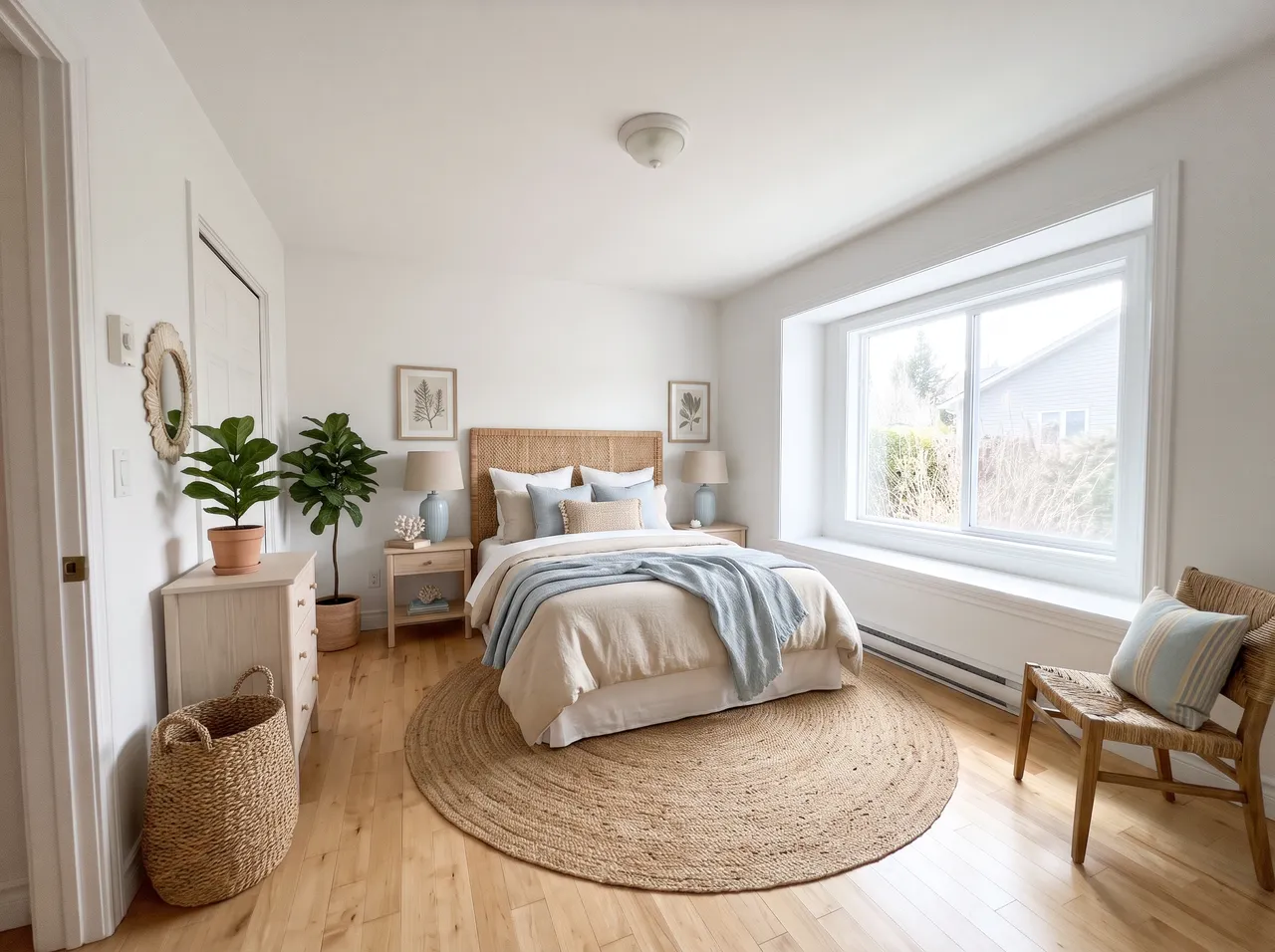
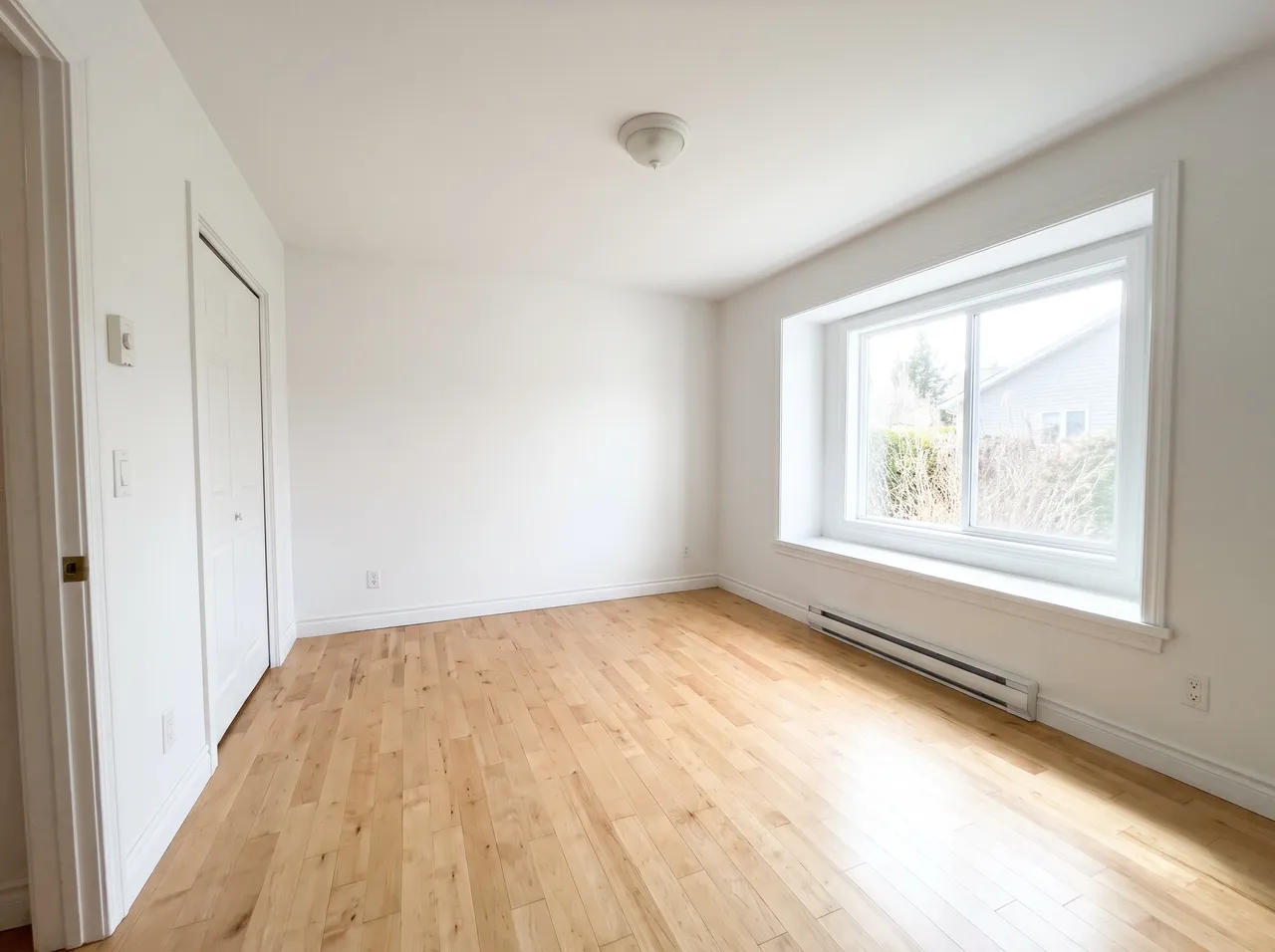
Stage · Bedroom · Coastal
Show the exact instruction
Virtually stage this empty bedroom in a coastal: white and sand tones, pale blue accents, rattan, jute and washed linen interior style. Add furniture, rugs, lighting fixtures, plants and decor sized to fit the room, arranged the way a professional home stager would. Keep the architecture exactly as photographed: walls, windows, doors, floor, ceiling, stairs, built-in fixtures, the view through the windows, the camera angle and the framing must not change. Do not add or remove windows, doors or rooms, do not change the floor area, and do not hide any damage. Add no people, pets, text, logos or watermarks. Keep the photo realistic, with natural light that matches the windows.
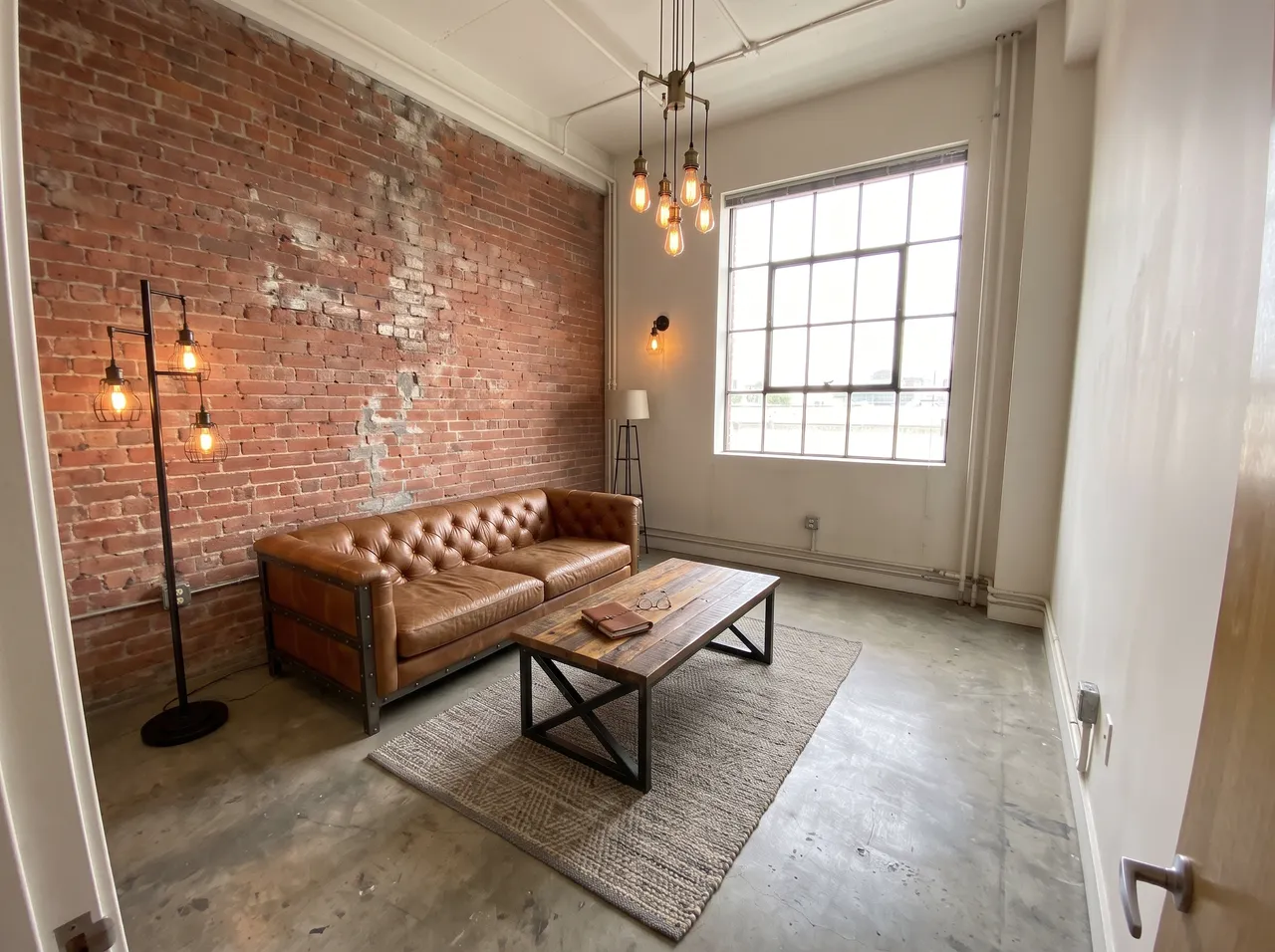
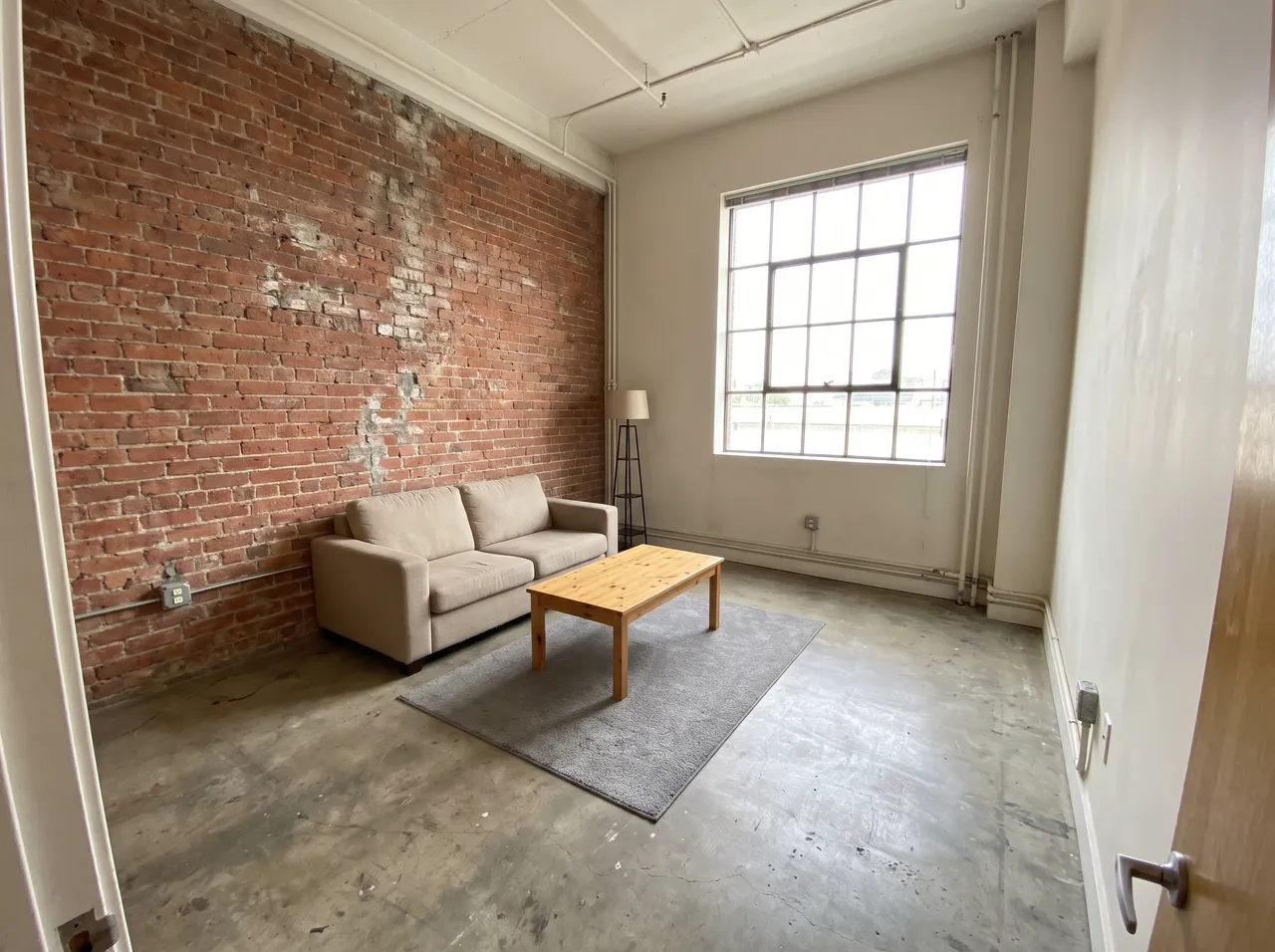 BeforeAfter
Restyle · Living room · Industrial
Show the exact instruction
Restyle this living room in a industrial: black metal frames, reclaimed wood, leather, warm Edison lighting interior style. Keep the furniture layout and the position of every large piece; change the furniture, fabrics, colours, decor and light fittings to the new style. Keep the architecture exactly as photographed: walls, windows, doors, floor, ceiling, stairs, built-in fixtures, the view through the windows, the camera angle and the framing must not change. Do not add or remove windows, doors or rooms, do not change the floor area, and do not hide any damage. Add no people, pets, text, logos or watermarks. Keep the photo realistic, with natural light that matches the windows.
Three modes
Stage it, clear it or restyle it
One studio for the three jobs a listing photo usually needs. Pick the mode before you run; the price shows on the button.
Stage
Furnish an empty room in the style you pick. Walls, windows, doors and floor stay as photographed.
More about StageDeclutter
Clear personal things and clutter. The main furniture and the room itself stay.
More about DeclutterRestyle
Same layout, new look: the furniture, fabrics and fittings change to the style you pick.
More about Restyle
Honest staging
Staged photos that still show the real property
Buyers should recognise the home when they walk in. Three rules in the studio keep it that way.
“Virtually staged” on by default
Every download carries a small corner label. You can switch it off only after ticking that you will disclose the staging in your listing.
A structure check on every result
The studio compares the edges of walls, windows and doors before and after. If they look moved, that room gets one free re-render.
Edits that would mislead are refused
Notes asking for extra windows, a sea view, a bigger room or a hidden crack are declined before any credits are spent, and photos with people are refused.
Styles
Twelve interior styles
From pale Scandinavian oak to Mediterranean terracotta. Stage and Restyle use the style you pick; Declutter keeps the room as it is.
- Scandinavian
- Japandi
- Mid-century
- Coastal
- Industrial
- Farmhouse
- Minimalist
- Modern luxury
- Boho
- Traditional
- Contemporary
- Mediterranean
How it works
How to virtually stage a room with AI
Three steps per room, with the price shown before you run.
- 01
Upload a room photo
JPG, PNG or WebP up to 10 MB, shot level and wide, with no people in the frame. It is stored privately in your account.
- 02
Pick the mode, room and style
Choose Stage, Declutter or Restyle, the room type and one of twelve styles, and optionally a listing folder and a short note. Pick 1K for a quick try or 2K for the listing; the credit price updates as you go.
- 03
Compare, check and download
Drag the slider to compare with your photo and read the structure check. Download with the “Virtually staged” label, or try another style.
Models
Which model stages your room
The output size picks the model. Credits per room are fixed by size.
| Model | Good for | 1K | 2K | 4K |
|---|---|---|---|---|
| Nano Banana 2.1 | Quick tries at 1K and listing photos at 2K | 20 | 30 | — |
| Nano Banana Pro | 4K listing heroes for the cover photo | — | — | 115 |
2K comes with every account; 4K comes with the Agent and Brokerage plans and the credit pack. A render that does not finish costs nothing.
Pricing
Pay per listing, or plan for a steady pipeline
A credit pack for the odd listing, an Agent plan for weekly listings, or Brokerage seats with one shared pool. Your first 20 credits are free and cover one quick try.
Cancel anytime · 21-day money-back guarantee
Agent
Most popular5,360 credits a month, about 178 rooms at 2K
$24.69/month
5,360 credits a month
- ≈ 268 Nano Banana 2.1 rooms
- ≈ 46 Nano Banana Pro rooms
Plans open soon. Your free sign-up credits work now.
- Six rooms at a time
- Up to 4K listing heroes
- API keys and MCP from scripts
Agent
Most popular5,360 credits a month, about 178 rooms at 2K
$24.69$20.58/month
Billed yearly at $246.90
5,360 credits a month
- ≈ 268 Nano Banana 2.1 rooms
- ≈ 46 Nano Banana Pro rooms
Plans open soon. Your free sign-up credits work now.
- Six rooms at a time
- Up to 4K listing heroes
- API keys and MCP from scripts
From 3 seats, billed per seat. The whole office draws on one credit balance, and new agents join from an invite link.
Brokerage
4,850 credits a month per seat into one shared pool
$21.85/seat a month
14,550 credits a month
- ≈ 727 Nano Banana 2.1 rooms
- ≈ 126 Nano Banana Pro rooms
3 seats: $65.55 in total
Plans open soon. Your free sign-up credits work now.
- One shared credit pool for the whole office
- Six rooms at a time
- Up to 4K listing heroes
- API keys and MCP from scripts
From 3 seats, billed per seat. The whole office draws on one credit balance, and new agents join from an invite link.
Brokerage
4,850 credits a month per seat into one shared pool
$21.85$18.21/seat a month
Billed yearly at $218.50 per seat
14,550 credits a month
- ≈ 727 Nano Banana 2.1 rooms
- ≈ 126 Nano Banana Pro rooms
3 seats: $655.50 in total
Plans open soon. Your free sign-up credits work now.
- One shared credit pool for the whole office
- Six rooms at a time
- Up to 4K listing heroes
- API keys and MCP from scripts
Multi-Listing
Best valueCredits for several listings, no subscription
6,660credits
$38.89 one-time
Up to 222 rooms at 2K
- ≈ 333 Nano Banana 2.1 rooms
- ≈ 57 Nano Banana Pro rooms
Plans open soon. Your free sign-up credits work now.
- Two rooms at a time
- Up to 4K listing heroes
20 free credits land once your email is confirmed. That pays for one quick try, and no card is asked for. One grant per mailbox. They never expire.
Questions about virtual staging
What is AIBanana2.com?
AIBanana2.com is a virtual staging studio in the browser. You upload a room photo, pick Stage, Declutter or Restyle, the room type and a style, and an image model furnishes or restyles the room while the walls, windows, doors and floor stay as photographed.
Is it free to try?
Confirm your email and 20 credits arrive once, enough for one quick try at 1K (20 credits). The grant is one per mailbox, and accounts created over a VPN, proxy or data-centre network do not receive it.
Is AIBanana2.com run by Google or the Nano Banana team?
No. AIBanana2.com (aibanana2.com) is independent and is not affiliated with, endorsed by, sponsored by or operated by Google. Rooms are staged with Nano Banana 2.1 and Nano Banana Pro, Google’s Gemini image models; Nano Banana and Gemini are trademarks of Google.
Will the staged photo change the room itself?
The model is told to keep walls, windows, doors, floor, ceiling and the view exactly as photographed. It redraws the whole image, so the studio runs a structure check on each result; if walls or windows look moved, the room gets one free re-render.
Do I have to show “Virtually staged”?
Many listing services and local rules require you to disclose virtual staging. The label is on by default; you can turn it off only after ticking that you will disclose the staging in the listing yourself. Follow the rules where you list.
Can I stage an occupied room?
Yes, with Declutter first: it clears personal things and clutter and keeps the main furniture. Then Restyle changes the look in the same layout. Photos with people in them are refused, so shoot the room empty of people.
How large are the results?
Every account renders 1K quick tries and 2K listing photos. A plan or the credit pack adds 4K listing heroes on Nano Banana Pro. The result keeps your photo’s frame.
Who can see my photos and results?
Only you. There is no public gallery. A Brokerage owner sees credit use by member, not members’ photos. Each photo is safety-checked, then sent only to the AI service doing the render.
What happens if a render fails?
Credits leave your balance as the render starts. If it fails or times out they go straight back, and the job shows as failed in My rooms.
What will it refuse to do?
Anything that would misrepresent the property: adding windows, doors, rooms or a view, making a room look bigger, or hiding damage such as cracks, damp or mould. It also refuses people, watermark removal and sexual content. The Acceptable Use Policy has the full list.
Updated
Have an empty room to list?
Upload it, pick a style and compare the staged version with your photo.